
Key Steps & Rules:
1. Go to Navigate  Reports.
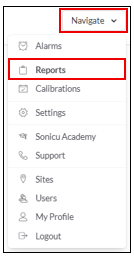
2. Select your Report:
Select the System Health Report from the Core Reports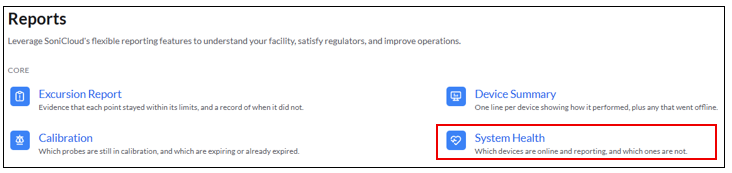
- On-Demand Report: Run the report right now
-
- Data Settings - use the toggle to select what you would like to include in the report.
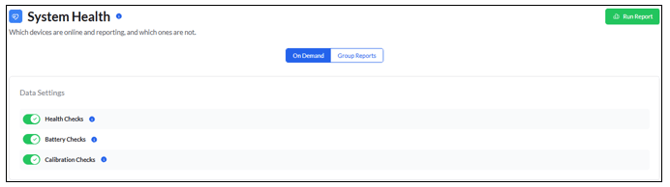
- Health Checks – Checks your alarm setup
- Active and Snoozed Alarms
- Points needing activation (New_Points)
- Zones without alarm recipients
- Users without notifications enabled
- SNAP probe status
- Battery Checks – Lists each device with its last battery voltage and how long until it needs charging again, and flags devices where Battery Saver Mode is recommended.
- Calibration Checks – Shows SNAP enrollment and each probe’s NIST certificate dates. It groups them by expired in the last year and expired over a year ago. Certificates expiring within the next 60 days are also flagged.
3. Select Run Report
For any more questions regarding Reports, please contact Sonicu Support for assistance. Sonicu Support can be reached by email at support@sonicu.com or by calling 317-468-2345. Sonicu Support is available M-F 8 AM- 5 PM EST.