
Key Steps & Rules:
1. Go to Navigate  Reports.
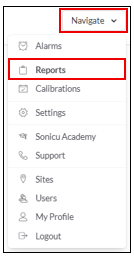
2. Select your Report:
Select the Calibration Report from the Core Reports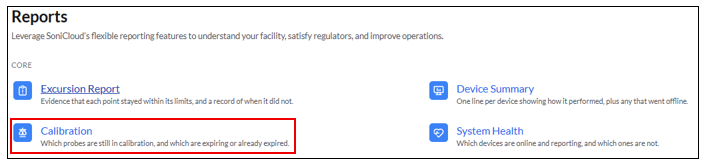
On-Demand Report: Run the report right now
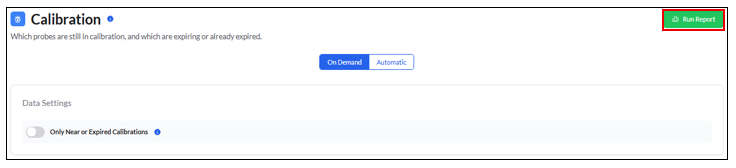
- Use the toggle under Data Settings to run the report for ONLY near or expired calibrations.
Running the report as is without the above toggle will include all calibrations, including non-expiring calibrations.
-
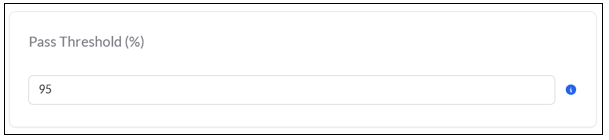
- Select the Pass threshold %
3. Select Run Report
For any more questions regarding Reports, please contact Sonicu Support for assistance. Sonicu Support can be reached by email at support@sonicu.com or by calling 317-468-2345. Sonicu Support is available M-F 8 AM- 5 PM EST.