
Key Steps & Rules:
1. Go to Navigate  Reports.
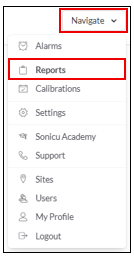
2. Select your Report:
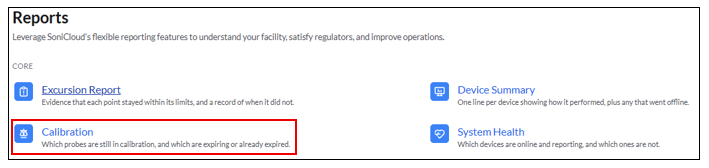
- Select Calibration from the Core Reports
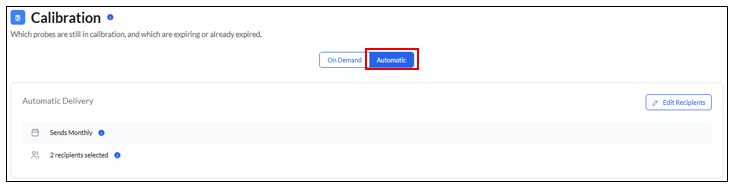
- Select Automatic
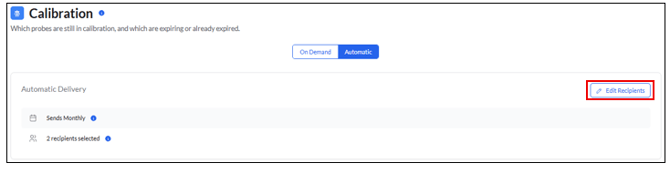
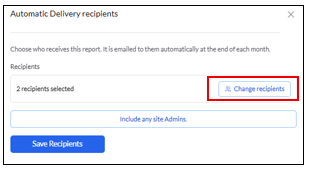
- Edit Recipients to select who the report should be automatically sent to
- Select Change Reciepients or select Include Site Admins to automatically assign all site admins to receivethe report
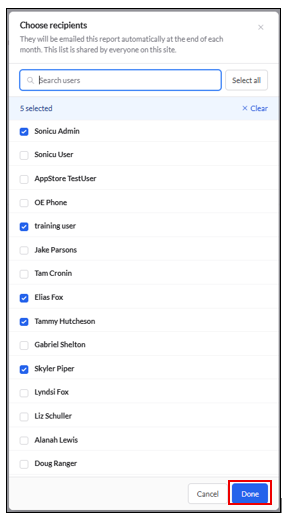
- Select the recipients to recieve the report and select Done
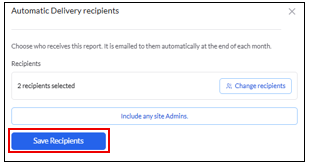
- Select Save Recipients
For any more questions regarding Reports, please contact Sonicu Support for assistance. Sonicu Support can be reached by email at support@sonicu.com or by calling 317-468-2345. Sonicu Support is available M-F 8 AM- 5 PM EST.